Deploying Scala Microservices on Kubernetes (Hands-On)
 Tobias Jonas
5 min read
Tobias Jonas
5 min read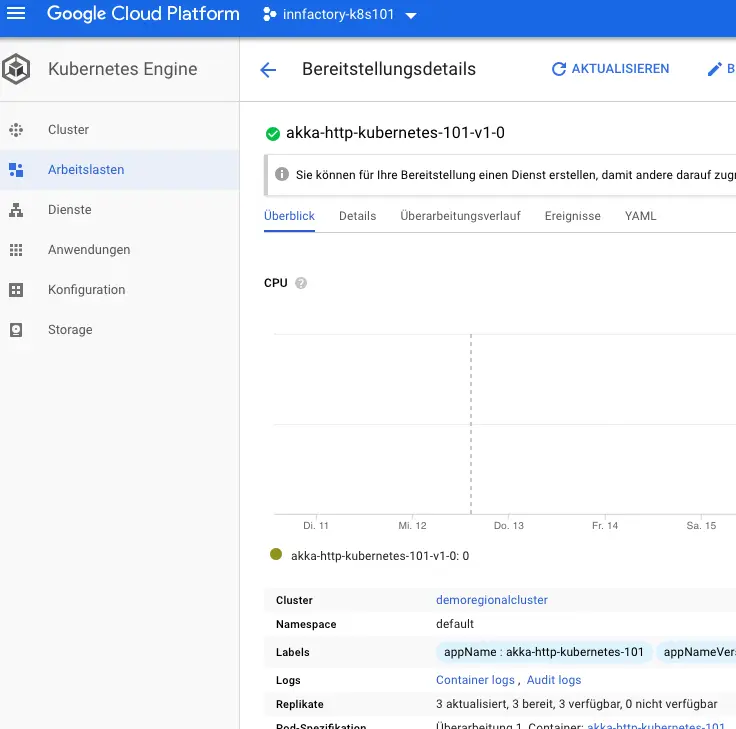
The whole world is talking about Docker, Kubernetes (k8s), and microservices in the cloud. Regardless of the cloud infrastructure provider, Kubernetes can now be operated almost anywhere without problems.
In this blog post, we want to package a Hello World Scala application based on akka-http into a Docker container, have it automatically built using a continuous deployment pipeline, and finally deploy it to a Kubernetes cluster using the reactive-cli tools from Lightbend.
Overview:
- We manage our source code in GitHub. You can find the example project at https://github.com/innFactory/akka-http-kubernetes-101
- Circle CI handles the automatic build, tests, and deployment to our Kubernetes cluster.
- Kubernetes is provided by Google Cloud in the Google Kubernetes Engine.
Hello World Backend with akka-http in Scala
The demo project is published at https://github.com/innFactory/akka-http-kubernetes-101.
Using akka-http and Scala, a REST interface for greeting is provided – the Greeter Microservice. This returns a simple OK 200 as a response on the HTTP root path. Via the HTTP endpoint /greet/:name, a greeting message for a name is sent back. The OK interface is only important for the health check in Kubernetes. Additionally, three simple tests were added that can verify this behavior in a test run. The .circleci folder contains all necessary files that Circle CI uses for deployment.
Kubernetes (k8s) Cluster (GKE)
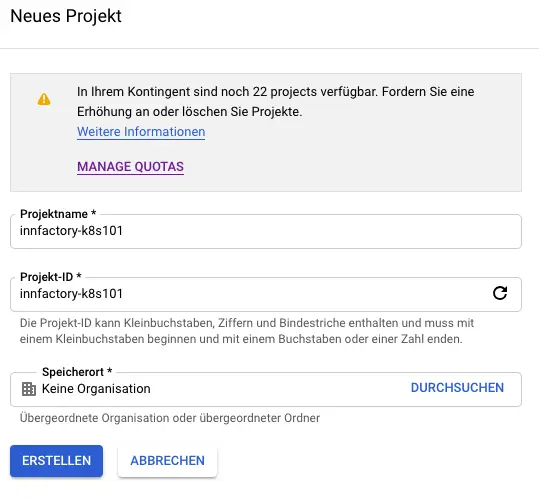
In no public cloud is Kubernetes as well integrated as in Google Cloud. This is of course not least due to the fact that Kubernetes was developed by Google. Other cloud providers like AWS, IBM, or Azure are catching up quickly, but the integration often doesn’t work as seamlessly as you would like and as you know from Google. Especially with version updates of master and worker nodes, other manufacturers often still have problems. In our example, we use a simple cluster that we create using the gcloud SDK in the terminal.
First, we set important parameters of the gcloud config. In my case, I only need to switch the project, as the region and zone are already correctly set for me.
gcloud config list should now produce output that looks like this:
Next, a Kubernetes cluster needs to be created via the gcloud SDK. We leave most parameters at the default setting, as this is completely sufficient for our demo. Our cluster should run in Frankfurt and there should be a worker in all availability zones (AZs). The nodes should be of type g1-small (list all instance types with gcloud compute machine-types list).
After a few minutes, our cluster is available and ready for our demo.
We can now use the cluster with kubectl. However, we still need to provide the credentials with gcloud container clusters get-credentials demoregionalcluster.
kubectl get nodes should now show us all our nodes.
NAME STATUS ROLES AGE VERSION gke-demoregionalcluster-default-pool-0fed3e4a-xtcs Ready 2m v1.10.9-gke.5 gke-demoregionalcluster-default-pool-4130f6c1-d00w Ready 2m v1.10.9-gke.5 gke-demoregionalcluster-default-pool-c3c955ab-bqfz Ready 2m v1.10.9-gke.5
Creating Circle CI Pipeline
Many companies today operate their own Jenkins server to automate their software builds. There’s nothing wrong with that, but basically you don’t want to have any effort in operating the pipeline software. The syntax of a JENKINSFILE could also be nicer. If you search the internet for SaaS alternatives, you quickly find Circle CI, Travis, or products from major cloud providers. For our example, we use Circle CI, as we do for all our innFactory projects. You don’t need a paid account for our example, as you get a comprehensive account with 1000 build minutes per month upon registration. This is definitely sufficient for the demo.
After registration, you’ll find yourself on the Circle CI dashboard. First, the GitHub project with the Scala/akka backend must be added. Select “Add Projects” in the left menu and then the project on GitHub. After clicking on set-up Project and then again on Start building, the first run of the pipeline begins.
The Scala demo project on GitHub contains a Circle CI description for a CI workflow (.circleci/config.yml). This workflow runs all tests in parallel and simultaneously creates a Docker container, which is then stored in a private Google Container Repository. After completion of both tasks, the container is deployed to the Kubernetes cluster created above using the Reactive Platform Tools. For the example, the reactive-cli from Lightbend is used. In productive scenarios, it’s recommended to have the Kubefile generated and check it into the code repository. Since a Docker image from innFactory is always used for the jobs in the workflow, all the tooling is fully available at build time (Scala, sbt, reactive-cli).
For the build and thus the workflow to work, variables for Google Cloud must still be set. For this purpose, “Environment Variables” can be created in the Circle CI project settings.
The required variables used by the Scala demo project workflow are:
- GCLOUD_SERVICE_KEY
- GOOGLE_PROJECT_ID
- GOOGLE_COMPUTE_ZONE
- GOOGLE_CLUSTER_NAME
Apart from the first variable, all values are already known from creating the Kubernetes cluster. For the GCLOUD_SERVICE_KEY, you need to create a service account in Google Cloud that has permission to manage Kubernetes and push images to the container repository. This service account should be as restricted as possible in terms of permissions. For our example, however, we grant administrator access to the respective services. Finally, create a key in JSON format and store it as the variable GCLOUD_SERVICE_KEY.
Green, Up & Running
After all components are correctly configured, the workflow can be restarted.
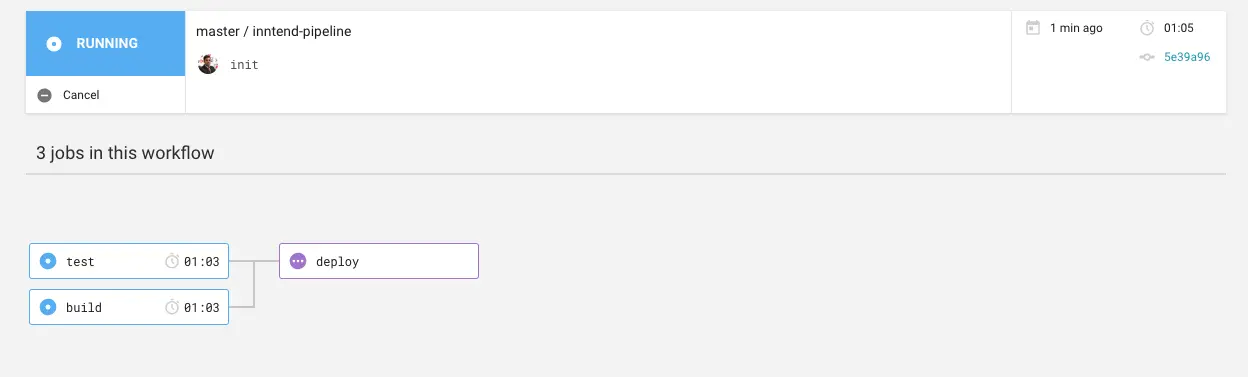
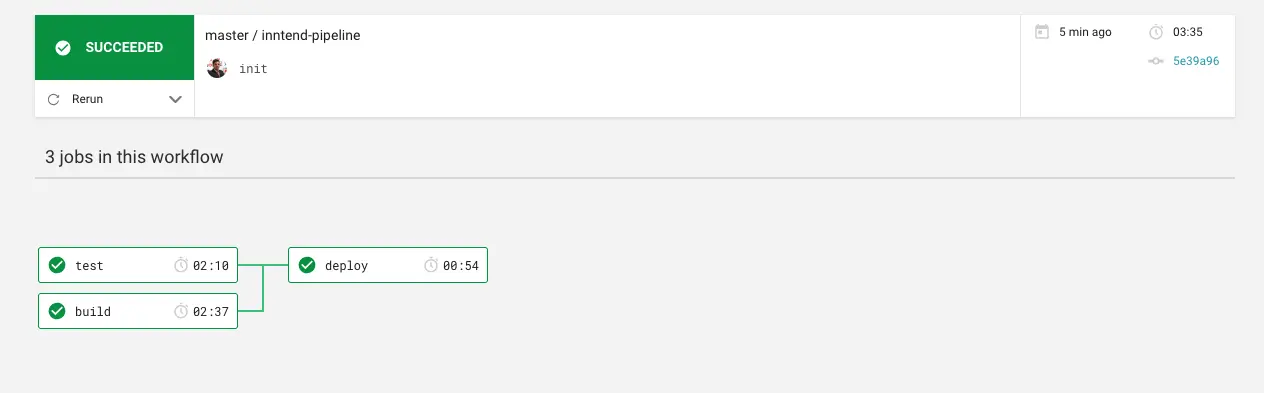
If you have a free account at Circle CI, the workflows don’t run in parallel, but in the end the result should look like you find your deployment in Kubernetes.
kubectl get deployments
NAME                            DESIRED   CURRENT   UP-TO-DATE   AVAILABLE   AGE
akka-http-kubernetes-101-v1-0   3         3         3            3           1m
Conclusion
In this tutorial, we showed how to automatically build a Scala akka-http application with Circle CI and deploy it to a Kubernetes cluster in Google Cloud. The combination of GitHub, Circle CI, and GKE enables a fully automated continuous deployment workflow that is also suitable for productive applications.
kubectl get deployments
NAME DESIRED CURRENT UP-TO-DATE AVAILABLE AGE
akka-http-kubernetes-101-v1-0 3 3 3 3 1m